
Project management software helps project managers, teams or anyone, to complete client requirements and manage time, budget, and scope constraints. However, with so many available options, choosing the right project management tool can be confusing, and people may not know where to begin.
“Focus on being productive instead of busy.”
Tim Ferriss, American podcaster, author and entrepreneur

Effective teamwork is the core of every project management process – agile or otherwise. Good project management software lets your team communicate easily and effectively. They need to easily share ideas, opinions, resources or even files to get work done quickly
Typical project management solutions include the following capabilities:
- Task Management
- Resource Management
- Gantt Charts
- Scheduling
- Workflow Automation
- Team Collaboration
- Document Management
- Email integration
- Mobile Access
- Timesheet Tracking
Let’s have a look at the bests of the bests in 2020!
1. Clickup
ClickUp is a cloud-based collaboration and project management tool suitable for businesses of all sizes and industries. Used by 100,000+ teams in companies from startups to titans like Airbnb, Google, Netflix, and Nike, ClickUp is the only tool you need to create and manage project workflows easily. This automation software can handle everything you throw at it — from project planning to tracking your in-house or remote team’s productivity.
Pricing
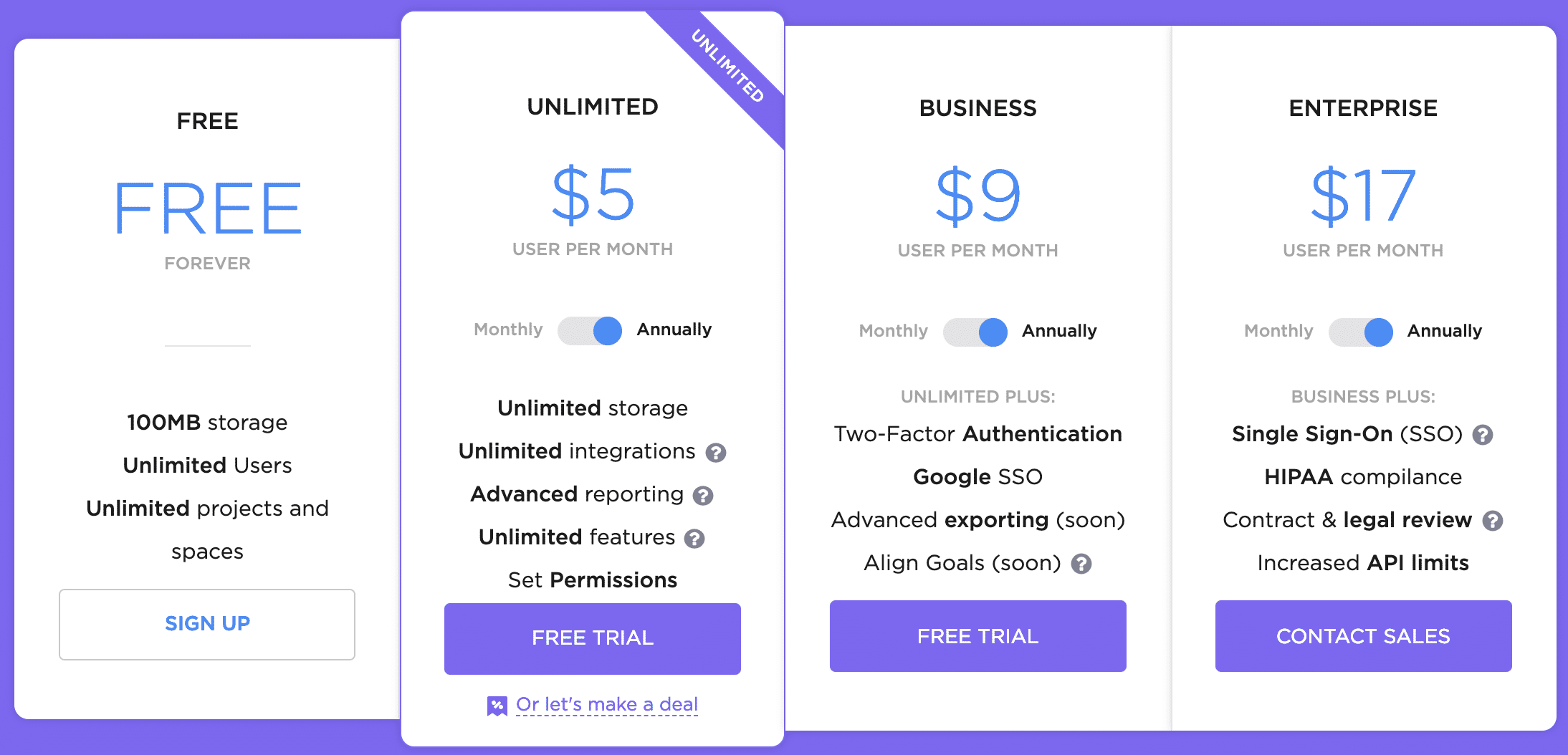
Core Features
- Process Management: Ensure your Projects are streamlined and the steps to complete each task are precisely followed.
- Task Management: Organize tasks and make quick changes. Shuffle tasks as the team adjusts to new requirements.
- Time Management: Schedule time, manage team capacity, organize calendars, track milestones, and sync with Google Calendar
- Integrations: Connect with your favorite productivity tools natively in ClickUp
- Complete Customization: Tailor your spaces with privacy, features, custom workflows, tags, and more! This is project management your way.
- Collaboration and Reporting: Stay productive with the most cohesive tools to improve your team collaboration.
- Apps and Devices: Productivity on all platforms
2. Monday.com
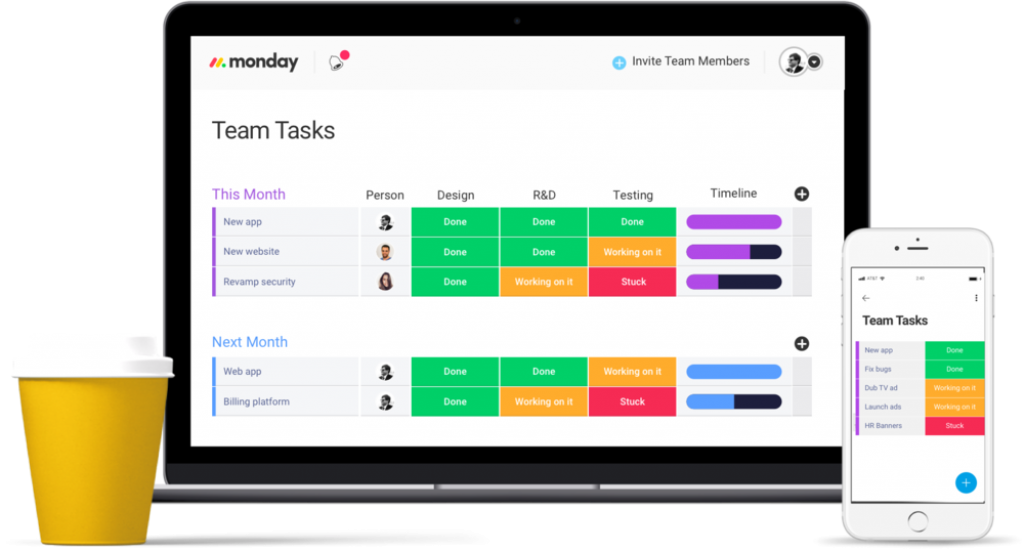
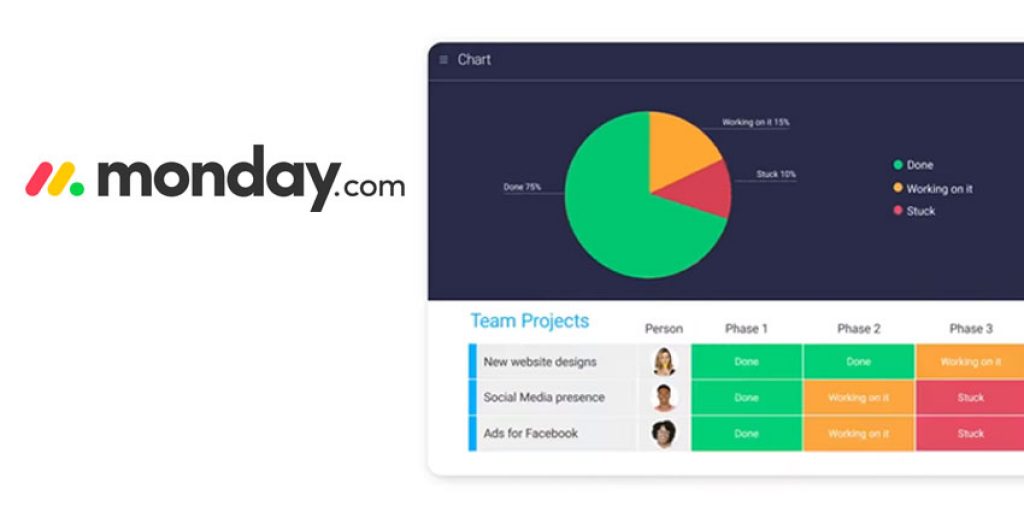
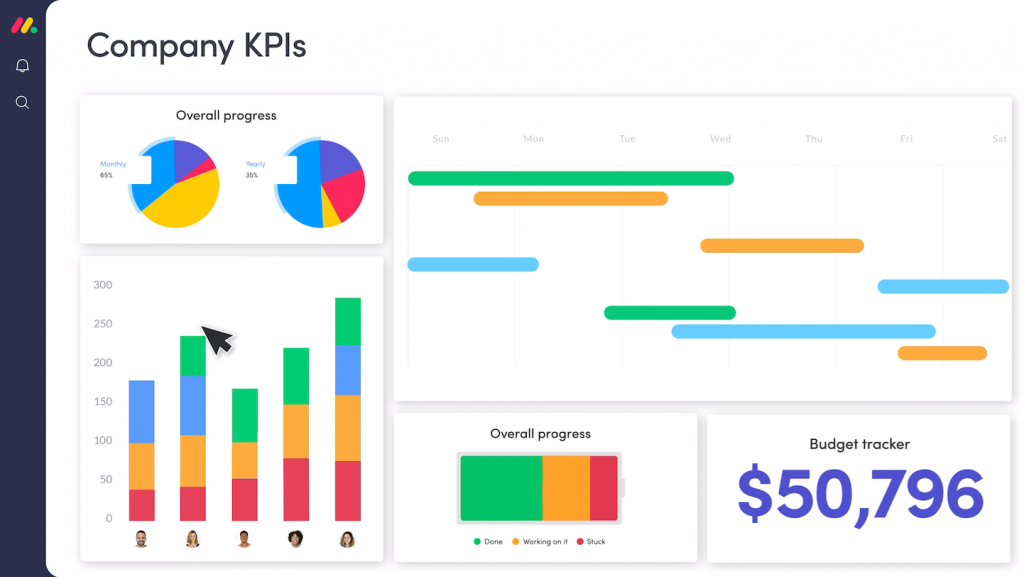
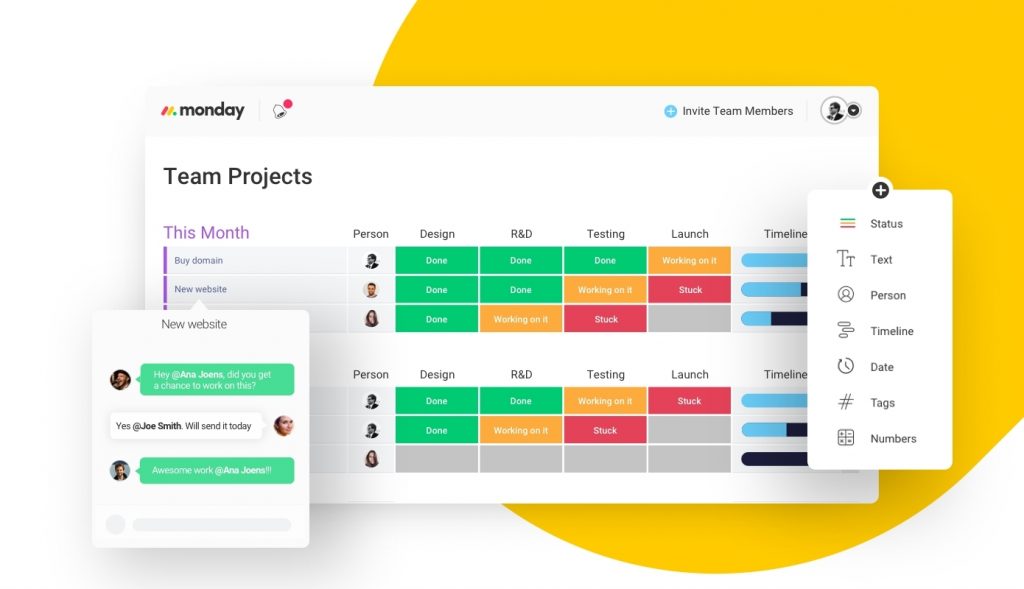
The monday.com is a web and mobile app platform for managing tasks, including tracking projects, deadlines, and team collaboration. The application looks awesome with colorful designs and big buttons that make it easy to navigate between different screens. Core features such as your message inbox, weekly tasks, and shared project boards can all be quickly accessed via a panel on the left-hand side of the interface.
Pricing:
- Basic Plan: $8.00/month/user
- Standard Plan: $10.00/month/user
- Pro Plan: $16.00/month/user
- Enterprise Plan: personalised
- Pricing model: Subscription
- Free Trial: Available
Core features:
- Project Management Features:
- Task Management
- Resource Management
- Gantt Charts
- Scheduling
- Workflow Automation
- Team Collaboration
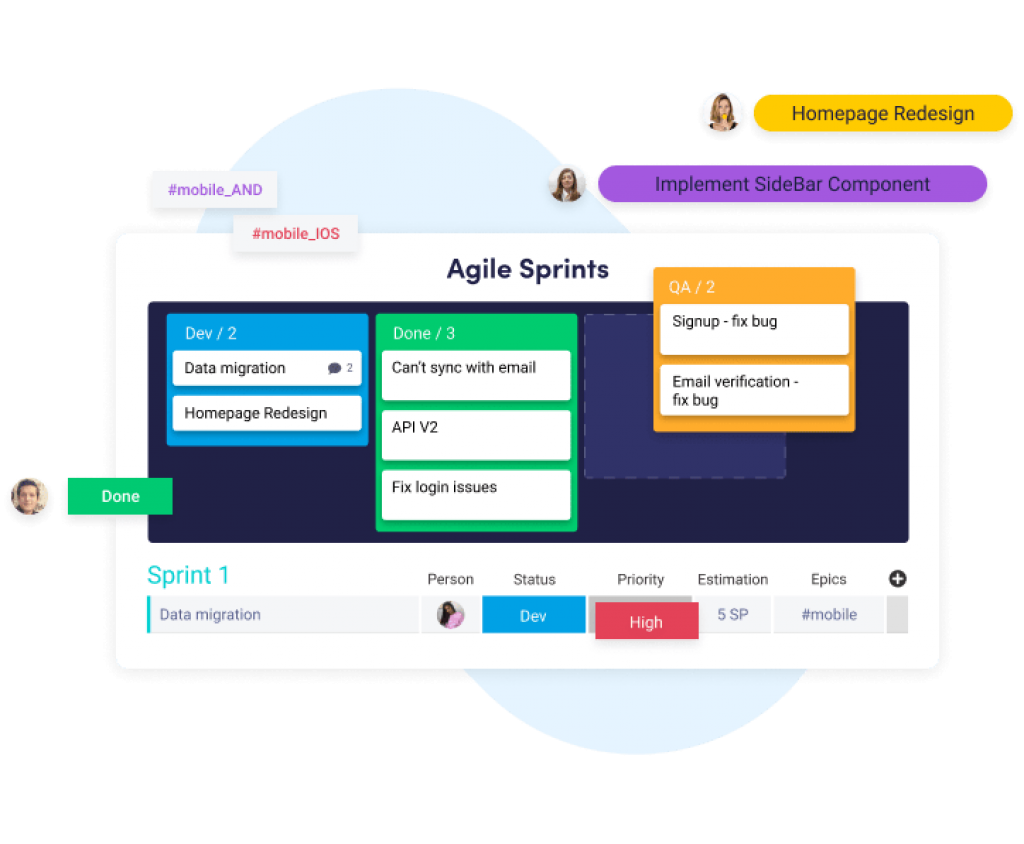
- Support for Agile Methodology
- Document Management
- Email integration
- Mobile Access
- Timesheet Tracking
- Change request and Case Management
- Professional Services Automation Features:
- Quotes/estimates
- Additional Features:
- Customize Columns To Fit Your Workflow
- Search Everything
- Visual Timeline
3. Infinity
Infinity is a rich project management software built specifically for teams of any size and caters to all sorts of projects. This flexible and intuitive project management platform is loaded with features and tools that help users organize their projects, create and delegate tasks, manage and rank priorities, and achieve their goals. Powerful integrations with multiple systems streamline their tasks and workflows while multiple view options allow them to see their projects, tasks, and the smallest details in a display they prefer.
Pricing
- Free trial – Yes
- Standard – $9/user/month
- Pro – $18/user/month
- Enterprise – Contact Vendor
Core Featres
- Business Intelligence
- Capacity Management
- Custom Search
- Data Visualization Utility
- Demand Forecasting
- Drag & Drop Sharing
- Employee Schedule Management
- Resource Management
- Skills Monitoring
- Utilization Management
4. Coda.io
Coda is a cloud-based document editor founded by Shishir Mehrotra and Alex DeNeui. Offices are located in Seattle, San Francisco, and Mountain View. The first software version 1.0 was launched in May 2019. Previously, for more than four years it had been in a closed beta version. The software provides word-processing, spreadsheet, and database functions. It’s a canvas that blends spreadsheets, presentations, apps, and documents together. The software can integrate with third-party services like Slack and Gmail.
Pricing
- Free $0 – Unlimited Editors and Doc Makers, unlimited Viewers
- Pro $10/month per Doc Maker – Unlimited Editors and unlimited Viewers
- Team $30/month per Doc Maker – Unlimited Editors and unlimited Viewers
- Enterprise – Contact Them
Core Features
- Collaboration
- Idea Management
- Milestone Tracking
- Prioritization
- Product Roadmapping
- Release Planning
- Requirements Management
- Resource Management
- Surveys & Feedback
- Workflow Management
5. Jira
Jira is a proprietary issue tracking product developed by Atlassian that allows bug tracking and agile project management. Products and apps built on top of the Jira platform help teams plan, assign, track, report and manage work. The Jira platform brings teams together for everything from agile software development and customer support to managing shopping lists and family chores.Three products are built on the Jira platform: Jira Software, Jira Service Desk, and Jira Core. Each product comes with built-in templates for different use cases and integrates seamlessly, so teams across organizations can work better together.
Pricing
Cloud – Free: Free
Cloud – Standard: $7 per user/month
Cloud – Premium: $14 per user/month
Self-managed Server: $10 one time payment
Self-managed Data Center
$20,400 per year
Core features
- Business project templates: There are out-of-the-box business project templates to manage simple & complex tasks or workflows. You can customize the templates to match how your team works and fit your requirements.
- Issue details: Thanks to Jira’s issues, the details of every task, plus comments, attachments, and due dates are stored in one place.
- Notifications: Use @mentions to get the attention of specific team members and stay informed with handy, detailed notifications. Your users will know right away when something is assigned to them, and when their feedback is required.
- Power search: The search tool helps to find specific answers: a due date, the last update of a task, or tasks still in progress.
- Reports and Dashboards: You can create reports and dashboards to help you understand how your team is doing.
- Boards (Cloud only): Jira Core Cloud instances have boards that give teams an immediate snapshot of their project. Quickly review project progress and see the status of individual tasks. Boards match the steps of a team’s workflow and adapt to how each team works.
6. Slack
Slack is a proprietary business communication platform developed by American software company Slack Technologies. Slack offers many IRC-style features, including persistent chat rooms (channels) organized by topic, private groups, and direct messaging.
Pricing
Free: $0
Standard: $6.67 – per active user, per month (billed annually)
Plus: $12.50 – per active user, per month (billed annually)
Enterprise Grid – Contact Them
Core Features
- File Sharing
- Notifications
- Search
- Mobile Application
- Web Application
- Integrations
- Audio Conferencing
- Video Conferencing
7. Aoya
Ayoa is a visual work management tool to help individuals and teams from around the world become more productive and creative. Achieve more than ever before by combining Mind Mapping with Task Management and Instant Messaging features. Ayoa gives you the tools you need to; brainstorm great ideas, turn your ideas into actionable tasks, track your progress, ensure no deadlines get missed, and delegate tasks to others, all in one app.
Pricing
Starting from: $10.00/month
Pricing model: Free, Subscription
Ayoa offers a Basic, free plan. No credit card is required.
We then offer an Advanced plan, for you to unlock all of our features. Pricing starts from $10 per month, per user.
We have a plan to suit you and your team. Choose the option of your plan by number of users, plus, have the ability to pay monthly or an annual basis.
Core Features
- Radial Maps
- Public Mind Map Sharing
- Gantt Timeline View
- Visual task management
- Real-time collaboration
- Instant messaging
- progress percentage
- many useful integrations
8. Milanote
Milanote is a collaborative and cross-device tool with an infinite workspace to plan creative projects.
Milanote is a flexible visual workspace for creating moodboards, storing project information and getting feedback on design concepts.
Pricing
Free:$0USD
- Share unlimited boards
- Add 100 notes, images or links
- Upload 10 files
Team: $9.99USD user/ month
- Everything on the FREE plan
- Unlimited notes, images & links
- Upload unlimited files
- Search boards & content
Core features
- Content Management
- Project Management
- Task Management
- Workflow Management
- Collaboration Tools
- Status Tracking
9. Trello
Trello is a web-based Kanban-style list-making application. Originally made by Fog Creek Software in 2011, it was spun out to form the basis of a separate company in 2014 and later sold to Atlassian in January 2017. All details of a particular project are located in what Trello refers to as boards. A Trello board is a list of lists, filled with cards, used by you and your team. It’s a lot more than that, though. Each board is categorized using lists, with each list including individual cards that have further details on a project, such as the team members involved, task checklists, discussions and comments.
Pricing
- Free model: Unlimited Personal Boards, Unlimited Cards, Unlimited Lists, 10MB per e Attachment,Fil 10 team boards, 1 Power-Up per Board, 2-Factor Authentication.
- Business Class: all free model features plus 250MB per File Attachment, Priority Support, Custom Backgrounds & Stickers, Observers, Board Collections, Team Board Templates, Unlimited Power-Ups, Custom Fields, List Limits, Card Repeater, Calendar View, Map View, Voting, 100+ App Integrations, Advanced Admin Permissions, Domain-Restricted Invites, Deactivate Members, Google Apps Sign-on, Simple Data Export
- Enterprise: all business class model features plus Single Sign-On for all SAML IdPs, Power-Up Administration, Attachment Restrictions, Organization Wide Permissions, Organization Visible Boards, Public Board Management.
Core Features
- Detailed & Quick Overviews of Front/Back Cards
- Easy, Drag-and-Drop Editing
- In-Line Editing
- Easy Organization with Labeling, Tags, and Comments
- Progress Meter Checklist
- Card Records Archive
- Easy Upload (Local Devices, Dropbox, Google Drive, and Box)
- File Attachment
- Data Filters
- Deadline Alerts and Notifications
- Automated Email Notifications
- Activity Logs
- Individual/Group Task Assignment
- Information Backup
- Information Retrieval
- SSL Data Encryption
- Mobile-Friendly Views
- Developer API
- Customer Support
- Easy Upload (Local Devices, Dropbox, Google Drive, and Box)
- File Attachment
- Individual/Group Task Assignment
- Voting Options
- Discussions
10. Mavenlink
Mavenlink supports a wide variety of services businesses throughout the industry, including marketing agencies, consulting firms, and IT organizations, including both internal departments and external firms.Effective resource management starts by knowing who’s on your team and what roles they can play. Mavenlink gives you unrivaled visibility into your resource pool and makes forecasting revenue capacity a breeze. Mavenlink forecasting capabilities combine sales pipeline and backlog with active projects to help your business make informed and confident decisions for today and the future. Billable, non-billable, actual, and scheduled utilization views enable you to optimize resource productivity.
Pricing
- Teams 19$ per month
- Professional 39$ per month
- Enterprise Individual price
- Premier Individual price
Core Features
- Resource Planning:Hard & Soft Resource Allocation, Resource Scheduling (Task & Project Level), Real-Time Availability Forecasting, Resource Shaping
- Project Management: Task Management, Task Assignment & Scheduling, Schedule Management, Gantt Charts, Task Dependencies, Critical Path Analysis, Portfolio Management, Project Baseline & Variance Analysis, Project Plan Templates, Change Request Management
- Team Collaboration: Dashboard, Project Workspace, Activity Feed, File Sharing, Proofing, Public & Private Messages, Access Permissions, Mobile App
- Project Accounting: Time & Expense Tracking, Budgeted Projects & Tasks, Time Cards & Expense Reports, Invoicing & Online Payments, Project / Job Costing, Rate Cards (Cost & Bill Rates)
- Business Intelligence: Real-Time Analytics Expert-Built ReportsCustom Reporting Trend Analysis & Forecasting Data Visualization
10+1 Proworkflow
ProWorkflow includes all the features of a traditional project management solution. In addition, the solution also offers task management, timesheets, templates, notifications and alerts, file sharing, workflow management, contact management, reporting and resource management. ProWorkflow also provides a timeline and availability Tool to help with task scheduling.
ProWorkflow Project Management dashboard displays the graphical summary of ongoing projects. The collaborative feature allows multiple members to work simultaneously. The built-in messaging app allows teams to chat, send notifications, share documents and more.
Pricing
Solo Plan:
- $10/month
- one user only
- 10 active projects
- 5 GB storage
- Basic project/task management features and time tracking
Professional Plan:
- $20/user/month
- 1+ users
- Unlimited projects
- 25 GB storage
- Comprehensive project management features and invoices
Advanced Plan:
- $30/user/month
- 5+ users
- Unlimited projects
- 50 GB storage
- Comprehensive project management features, time tracking, and hierarchical control
Core Features
- Collaborate: Staff, clients and contractors interact with ease.
- Timesheet: Track time in a way that suits your business.
- API: Extend and integrate ProWorkflow with our powerful API.
- Projects: Details, tasks, time and communications in one place.
- Task: Flexible task types & customisable templates.
- Time: Easy timesheet entry and powerful reporting.
- Contacts: Easily manage staff, clients & contractors.
- Workflow: Custom categories, views and grouping to fit your needs.
- Resource Management: Allocate tasks and view workload across your business team.
- Templates: Projects, Tasks, Quotes & Invoices created in seconds!
- Reporting: Comprehensive standard and custom reporting tools.
- Look & Feel: Tailor ProWorkflow to match your business & brand.
- Invoices Manager: Optional plugin to handle your invoicing.
- Quotes Manager: Optional plugin to handle your quoting.
- Notifications / Alerts: Onscreen and email alerts keep your team on track.
- Data Security: Your data is safe in our hands.
- Messaging: Built-in communication with full email support.
- File Sharing: Upload and share files with anyone.